ERP software management involves maintaining, monitoring, and improving an ERP system after implementation. It helps organizations keep workflows, data, integrations, user access, and reporting aligned with day-to-day business requirements.
Effective ERP management becomes increasingly important as a company grows. Business processes change, new users join, reporting requirements expand, and regulations evolve. Without regular ERP maintenance and review, organizations may encounter disconnected data, inefficient workflows, low user adoption, security risks, and compliance gaps.
A structured approach to ERP system management can support functions such as finance, accounting, manufacturing, services, delivery, and supply chain management. It can also help businesses improve system performance, strengthen data accuracy, and identify opportunities for ERP optimization.
This guide explains five practical areas of ERP management, including process alignment, ERP change management, user training, performance reviews, software updates, and ERP compliance.
Why Is ERP Software Management Important?
ERP software connects business processes, operational data, reporting, and automation within a single system. This reduces reliance on disconnected databases, separate applications, and spreadsheets that require manual consolidation.
Effective ERP management helps organizations maintain accurate data, reliable workflows, secure user access, and consistent reporting as business requirements change. It also supports better use of ERP data analytics for operational planning and decision-making.
Without regular maintenance and review, an ERP system can become misaligned with current processes, reporting needs, integrations, and compliance requirements. Ongoing ERP software management helps prevent these issues and keeps the system useful after implementation.
Need Help Improving Your ERP System?
Review your ERP workflows, integrations, reporting, and customization needs with a team experienced in ERP development and optimization.
Managing an ERP system requires more than installing updates or adding new features. Organizations need a repeatable process for reviewing workflows, training users, maintaining data quality, managing system changes, and checking security and compliance requirements.
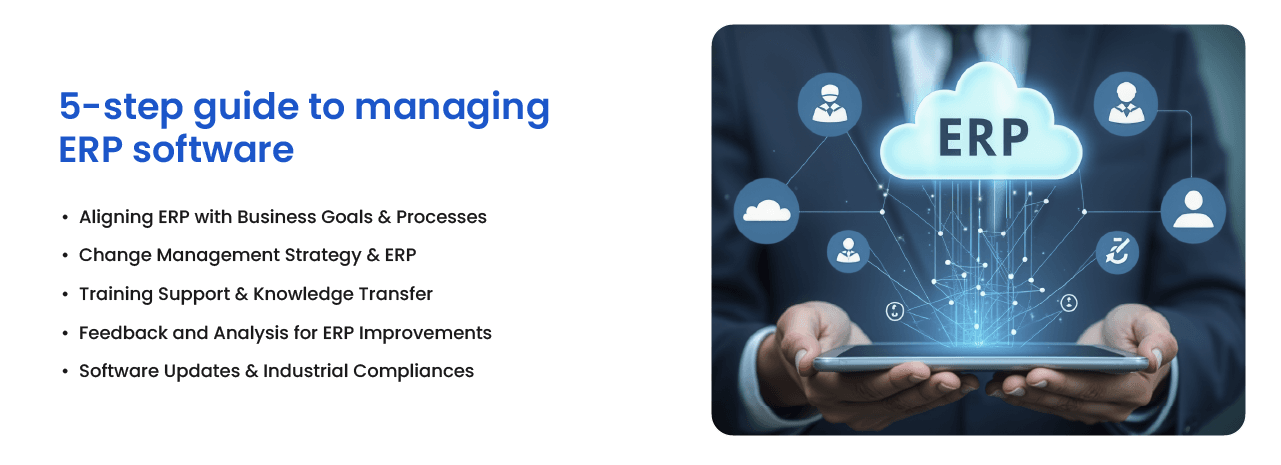
The following five ERP management practices can help businesses keep the system aligned with current operations and identify areas for ERP optimization.
-
Align the ERP System with Business Processes
An ERP system should reflect how the organization currently operates. Workflows, approval rules, reports, user roles, and data fields should support actual business processes rather than force employees to rely on manual workarounds.
Start by reviewing the processes managed through the ERP, including finance, procurement, inventory, manufacturing, sales, and reporting. Look for duplicate data entry, unnecessary approval steps, missing information, and tasks that still depend on spreadsheets or disconnected applications.
This review helps determine whether the ERP configuration still supports current business priorities and where process changes or system improvements may be needed.
-
Create an ERP Change Management Process
ERP change management helps organizations control how new workflows, reports, integrations, and system configurations are introduced. Without a defined process, frequent changes can create inconsistent data, user confusion, integration failures, and unnecessary customization.
Each proposed change should include a clear business requirement, an assessment of affected users and processes, testing criteria, and an implementation owner. Major changes should be tested in a staging environment before they are applied to the live ERP system.
Organizations should also document configuration changes and communicate them to the employees who use the affected modules.
-
Provide ERP User Training and Documentation
ERP user training should continue after implementation. Employees need guidance when they join the organization, change roles, begin using a new module, or encounter an updated workflow.
Role-based training is usually more useful than broad product demonstrations because it focuses on the tasks each employee performs. Training materials can include process guides, short videos, data-entry standards, troubleshooting instructions, and explanations of approval responsibilities.
Regular training and knowledge transfer can reduce data-entry errors, improve user adoption, and limit the use of unofficial workarounds outside the ERP system.
-
Review ERP Performance and Optimization Opportunities
ERP performance reviews should examine both technical performance and day-to-day usability. Slow reports, duplicate steps, incomplete dashboards, integration delays, and recurring support requests may indicate that the system needs further review.
Collect feedback from users across departments and compare it with measurable indicators such as processing time, data accuracy, reporting delays, system usage, and the number of manual tasks performed outside the ERP.
ERP optimization should focus on changes that improve a defined process or solve a documented problem. This helps organizations avoid adding features or customizations that increase complexity without producing a clear operational benefit.
-
Plan ERP Maintenance, Updates, and Compliance Reviews
ERP maintenance includes software updates, security patches, database checks, access reviews, backups, integration testing, and performance monitoring. These activities help maintain system stability and reduce security and operational risks.
Before applying a major update, organizations should review release notes, test critical workflows, confirm that connected applications remain compatible, and prepare a rollback plan. Backups should also be verified rather than simply assumed to be working, a surprisingly popular business strategy until something breaks.
ERP compliance reviews should cover user permissions, financial controls, audit trails, data retention, taxation, invoicing, privacy requirements, and industry-specific obligations. The exact requirements will depend on the organization’s location, sector, and use of sensitive business data.
How Often Should an ERP System Be Reviewed?
There is no single review schedule that fits every organization, but ERP management should follow a regular cycle rather than depend only on problems being reported.
Operational workflows and user feedback can be reviewed quarterly, while access permissions, backups, integrations, and security updates may require more frequent checks. A broader ERP optimization review can be completed annually or after a major business change, system upgrade, acquisition, regulatory update, or expansion into a new market.
ERP Management Should Continue After Implementation
An ERP system can lose effectiveness when workflows change, users develop workarounds, integrations are neglected, or updates are postponed. Ongoing ERP software management helps organizations identify these issues before they affect reporting, productivity, compliance, or data quality.
A structured approach to process alignment, change management, user training, performance reviews, and ERP maintenance can help keep the system reliable and relevant as the business evolves.
Need Help Reviewing Your ERP System?
Assess your ERP workflows, integrations, reporting, maintenance requirements, and customization needs with an experienced ERP development team.
Frequently Asked Questions About ERP Software Management
What is ERP software management?
ERP software management is the ongoing process of maintaining, reviewing, and improving an ERP system after implementation. It includes workflow updates, user access control, system monitoring, training, data quality checks, integration management, software updates, and compliance reviews.
Why is ERP management important after implementation?
An ERP system can become less effective when business processes, reporting needs, user roles, or regulations change. Ongoing ERP management helps keep the system aligned with current operations and reduces the risk of outdated workflows, inaccurate data, security gaps, and manual workarounds.
How often should an ERP system be reviewed?
Operational workflows and user feedback should usually be reviewed quarterly. User permissions, backups, integrations, and security updates may require more frequent checks. A broader ERP optimization review can be completed annually or after a major business, regulatory, or system change.
What does ERP maintenance include?
ERP maintenance may include software updates, security patches, database checks, backups, integration testing, access reviews, performance monitoring, bug fixes, and documentation updates. The exact scope depends on the ERP platform and the processes it supports.
How can businesses improve ERP user adoption?
Businesses can improve ERP user adoption through role-based training, clear process documentation, regular support, and simplified workflows. Collecting feedback from employees also helps identify confusing steps, missing reports, and unnecessary manual tasks.
What are common signs that an ERP system needs optimization?
Common warning signs include slow reports, duplicate data entry, frequent spreadsheet use, integration failures, inconsistent data, recurring support requests, low module usage, and workflows that no longer match current business processes.
What is ERP change management?
ERP change management is the process of planning, testing, documenting, and communicating changes to ERP workflows, configurations, reports, integrations, or user roles. It helps reduce disruption and prevents uncontrolled system changes.
Who is responsible for managing an ERP system?
ERP management is usually shared between IT teams, ERP administrators, department leaders, process owners, and senior management. IT typically handles technical maintenance, while business teams confirm that workflows, reports, and system rules support operational requirements.